Text File to Morse Code Converter (TXT, PDF, DOCX, RTF)
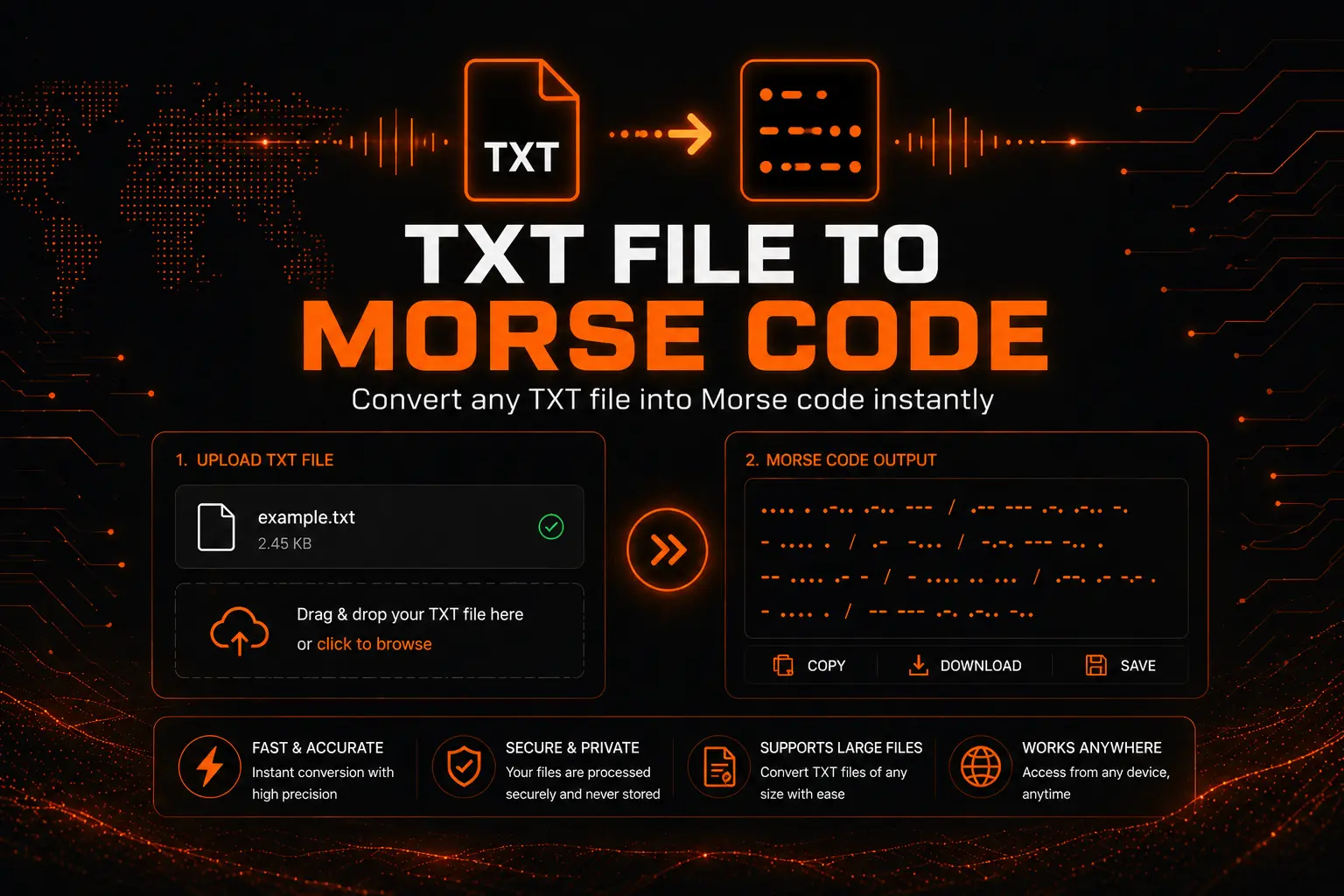
Quick answer: Drop a .txt, .pdf, .docx, .doc or .rtf file into the converter below and every readable character in it becomes International Morse Code — usually in under two seconds for a normal document. The file is parsed inside your own browser, so nothing is uploaded to a server. You can copy the result, download it as a text file, export it as playable audio, or send it out as sound, screen flashes or phone vibration.
How to Convert a File to Morse Code
Four steps, no account, no install:
- Choose your input. Use Upload File to drop in a document, or Type Text to paste or write directly and watch the Morse build as you go.
- Drop the file or click to browse. Accepted extensions are .txt, .text, .md, .doc, .docx, .pdf and .rtf, up to 5 MB per file.
- Press Convert to Morse. The converter reads the text layer out of the document, maps each character, and writes the result into the output panel.
- Take the output. Copy it, download it as .txt, download it as an audio file, or play it back as tone, light or vibration.
If you only need a short message rather than a whole document, the Morse code translator on the homepage is faster for that.
Which File Types Work, and What Gets Read
Different formats store text in very different ways, so it is worth knowing what the converter can actually see inside each one.
| Format | What is read | What is ignored |
|---|---|---|
| .txt / .text / .md | Every character, exactly as stored | Nothing — plain text is read verbatim |
| .docx | Body text, headings, list items, table cell text | Fonts, colors, images, headers and footers, comments |
| .doc | Body text where the legacy format allows extraction | Formatting; older .doc files are less reliable than .docx |
| The embedded text layer, page by page | Images, vector graphics, form field styling | |
| .rtf | Body text | Control words, style definitions, embedded objects |
The one case that will not work: a scanned PDF. If your PDF is a photograph of a page rather than real selectable text, there is no text layer to read and the output will be empty. For that, use the image to Morse code converter, which runs character recognition first.
The Character Map This Converter Uses
The converter follows International Morse Code as standardized in ITU-R Recommendation M.1677-1. That is the same set used by amateur radio operators and maritime services worldwide, and it is what the rest of this site teaches.
Letters
| Letter | Morse | Letter | Morse | Letter | Morse |
|---|---|---|---|---|---|
| A | .- |
J | .--- |
S | ... |
| B | -... |
K | -.- |
T | - |
| C | -.-. |
L | .-.. |
U | ..- |
| D | -.. |
M | -- |
V | ...- |
| E | . |
N | -. |
W | .-- |
| F | ..-. |
O | --- |
X | -..- |
| G | --. |
P | .--. |
Y | -.-- |
| H | .... |
Q | --.- |
Z | --.. |
| I | .. |
R | .-. |
Digits
| Digit | Morse | Digit | Morse |
|---|---|---|---|
| 0 | ----- |
5 | ..... |
| 1 | .---- |
6 | -.... |
| 2 | ..--- |
7 | --... |
| 3 | ...-- |
8 | ---.. |
| 4 | ....- |
9 | ----. |
Punctuation and symbols
| Character | Morse | Character | Morse |
|---|---|---|---|
| . period | .-.-.- |
( bracket open | -.--. |
| , comma | --..-- |
) bracket close | -.--.- |
| ? question mark | ..--.. |
& ampersand | .-... |
| ‘ apostrophe | .----. |
: colon | ---... |
| ! exclamation | -.-.-- |
; semicolon | -.-.-. |
| / slash | -..-. |
= equals | -...- |
| – hyphen | -....- |
+ plus | .-.-. |
| _ underscore | ..--.- |
” quotation | .-..-. |
| $ dollar | ...-..- |
@ at sign | .--.-. |
The full reference, including learning order and mnemonics, is on the Morse code alphabet page.
What happens to characters that have no Morse equivalent
International Morse has no symbols for emoji, accented Latin characters such as é or ñ, curly typographic quotes, em dashes, or non-Latin scripts. Documents pulled out of Word and PDF are full of these — especially curly quotes, which word processors insert automatically in place of straight ones.
Convert those characters to their plain ASCII equivalents before uploading. A curly apostrophe becomes a straight one, an em dash becomes a hyphen, and accented letters become their base letters. Anything left unmapped is skipped rather than guessed at, so a document that comes back shorter than expected almost always contains typographic characters.
How the Output Is Formatted
Spacing is where most Morse converters disagree with each other, so here is exactly what this one produces.
- Elements within a single character are written with no space: E is
., S is... - Characters within a word are separated by one space
- Words are separated by a forward slash with a space on each side:
/
So the sentence SEND HELP NOW comes out as:
... . -. -.. / .... . .-.. .--. / -. --- .--
Line breaks in the source document are preserved, which means a 40-line file produces 40 lines of Morse rather than one continuous block. The Wrap button toggles between soft-wrapping long lines to the panel width and letting them run, which is the setting to change when you want to check line-by-line alignment against your original.
The stats bar above the output reports four numbers live: source characters, source words, source lines, and total Morse length. Morse output typically runs four to five times the character count of the source, so a 10,000-character document produces roughly 45,000 characters of dots, dashes and separators.
Speed, Pitch and Timing
Morse timing is built from one base unit. Everything else is a multiple of it:
| Element | Length |
|---|---|
| Dot (dit) | 1 unit |
| Dash (dah) | 3 units |
| Gap between elements in a character | 1 unit |
| Gap between characters | 3 units |
| Gap between words | 7 units |
Words per minute is defined against the standard word PARIS, which is exactly 50 units long. That gives a clean formula for the base unit:
Dot duration in milliseconds = 1200 ÷ WPM
The speed slider on this tool runs from 5 to 60 WPM, so:
| Speed | Dot length | Typical use |
|---|---|---|
| 5 WPM | 240 ms | First-week learning, counting elements by ear |
| 13 WPM | 92 ms | The old US amateur license test speed |
| 20 WPM | 60 ms | Default here; comfortable conversational speed |
| 25 WPM | 48 ms | Common contest and net speed |
| 40 WPM | 30 ms | High-speed practice |
| 60 WPM | 20 ms | Upper limit of the slider |
The pitch slider covers 300 to 800 Hz and defaults to 600 Hz. Most operators settle somewhere between 500 and 700 Hz because that band sits where human hearing is sharp but fatigue is low over long sessions. Volume defaults to 80 percent.
If you are learning rather than transmitting, send characters at full speed but stretch the gaps between them — the Farnsworth method. There is a full explanation and a spacing calculator on the Farnsworth timing page, and the underlying rules are on Morse code timing rules.
Four Ways to Send the Output
Converted Morse is not only text on a screen. The player supports four output channels, and they can be combined:
- Sound — a sine tone at your chosen pitch, generated live in the browser
- Light — the screen flashes in time with the code, which works as a signal lamp at night or through a window
- Vibrate — the device vibration motor keys the pattern, useful for silent practice and on phones in a pocket. Requires a device with a vibration motor and a browser that permits it, which in practice means Android; iOS Safari does not expose this.
- Share — hands the converted text to your device share sheet
Play, Pause, Stop and Repeat control playback, and Repeat loops the message indefinitely, which is the setting to use for drilling one passage until you can read it. Download Audio writes the tone version to a file so you can put it on a phone or media player and practice away from the browser.
For sustained light signaling with a dedicated interface, use the Morse code light translator.
What Happens to Your File
Your document is never uploaded. This matters enough to explain properly, because most online file converters work the opposite way.
A typical converter sends your file to a server, processes it there, and returns the result. Your document sits on someone else’s disk, subject to their retention policy. This tool does none of that. Three parsing libraries run inside your browser tab — PDF.js for PDF text extraction, Mammoth for Word documents, and an RTF parser for rich text — and the Morse mapping happens in JavaScript on your own device. The file never crosses the network.
You can verify this yourself: open your browser’s developer tools, switch to the Network tab, and convert a file. No request carrying your document contents will appear. That also means the converter keeps working if your connection drops mid-session, once the page has loaded.
The practical consequence is that you can convert documents you would not hand to a third-party service — draft manuscripts, internal notes, exam material for a class exercise — without a confidentiality question hanging over it.
Limits You Should Know About
Being straight about what this tool does not do saves you time:
- 5 MB maximum per file. That is roughly 5 million plain-text characters, or about 850,000 words — far past any normal document. Files over the cap are rejected rather than truncated.
- Text layer required. Scanned PDFs and photographed pages produce no output. Use the image converter instead.
- One direction only. This page converts text into Morse. To go the other way, use the decoder on the homepage translator.
- Formatting is discarded. Bold, italics, headings, tables and lists all collapse into plain characters, because Morse has no way to represent them.
- Latin script and standard punctuation only. Accented and non-Latin characters have no International Morse equivalent and are skipped.
- Large files hold the browser tab briefly. Parsing a multi-megabyte PDF takes a few seconds of main-thread work. This is normal, not a crash.
Who Actually Uses This
Four situations where converting a whole file beats typing a message:
Building a practice library. Save a set of passages as .txt, convert each one, download the audio, and you have a graded listening set you can work through offline at fixed speeds. This is far more useful than typing single words into a translator.
Escape rooms and puzzle design. Puzzle writers keep their clue text in a document, convert the whole thing at once, and print the Morse output. Converting from the source document means edits to the clue text flow straight through without re-typing.
Testing Morse decoders. If you are writing a decoder — for a microcontroller, a radio project, or a software exercise — you need known-good test vectors. Converting a document of edge cases and exporting the audio gives you input to test against with a known expected output.
Classroom exercises. Teachers running a communications or cryptography unit convert a prepared handout, print the Morse, and have students decode it back using the Morse code chart.
Troubleshooting
The output is empty after conversion
Almost always a scanned PDF with no text layer. Open the PDF and try to select text with your cursor — if you cannot, there is nothing to extract. Run it through an OCR tool first, or use the image converter.
The output is shorter than the document
Unmapped characters were skipped. Curly quotes from Word are the usual culprit. Save the file as plain text with straight quotes and convert again.
Nothing happens when I press Play
Browsers block audio until you have interacted with the page. Click anywhere on the page first, then press Play. Also confirm the Sound mode button is active — if only Light or Vibrate is enabled, playback is silent by design.
Vibrate does nothing
The Vibration API is not available in Safari on iOS. Use Sound or Light on an iPhone or iPad.
The file is rejected
Check the extension is one of .txt, .text, .md, .doc, .docx, .pdf or .rtf, and that the file is under 5 MB. Very old .doc files sometimes fail where .docx succeeds — re-save from Word as .docx.
Conversion is slow
Large PDFs are the heaviest case because the text layer must be walked page by page. Split the document or paste the relevant section into Type Text mode instead.
Related Morse Code Tools
How This Page Is Maintained
The character map above is checked against ITU-R Recommendation M.1677-1, the standing international specification for Morse code. The timing figures are derived from the PARIS standard word, and every dot duration in the speed table is calculated as 1200 ÷ WPM rather than estimated. Output formatting was verified by converting known strings and comparing against the published character map, character by character.
File format support, the 5 MB cap and the slider ranges described on this page reflect the converter as currently deployed. When the tool changes, this page is updated in the same release.
Last reviewed: August 2026.
Frequently Asked Questions
Upload the file into the converter on this page and press Convert to Morse. The tool reads the text out of the document, maps every character to International Morse, and writes the result to the output panel. You can then copy it, download it as text, or export it as audio. It takes about two seconds for a normal document.
TXT, TEXT, MD, DOC, DOCX, PDF and RTF, up to 5 MB per file. Plain text files convert most reliably because there is no formatting layer to strip. PDFs work as long as they contain a real text layer rather than a scanned image.
No. Parsing and conversion both run inside your browser using PDF.js, Mammoth and an RTF parser loaded into the page. The file never crosses the network. You can confirm this in your browser’s developer tools by watching the Network tab during a conversion.
The limit is 5 MB per file, which is roughly 5 million characters or about 850,000 words of plain text. Files above the limit are rejected rather than partially converted. For larger jobs, split the document.
The PDF is almost certainly a scan rather than real text. If you cannot select text with your cursor when you open it, there is no text layer for the converter to read. Run OCR on it first, or use the image to Morse code converter instead.
Elements inside a character have no space between them, characters are separated by a single space, and words are separated by a forward slash with a space on each side. So SOS is dot dot dot, space, dash dash dash, space, dot dot dot.
They are skipped. International Morse code defines patterns only for the 26 Latin letters, the digits 0 through 9, and a set of standard punctuation marks. Convert accented letters to their base letters and curly quotes to straight ones before uploading.
Twenty words per minute is the default and suits general listening. Beginners should start at 5 to 10 WPM. The formula is 1200 divided by WPM to get the dot length in milliseconds, so 20 WPM gives a 60 millisecond dot.
Not on this page — this converter runs in one direction only. Use the translator on the homepage to decode Morse back into readable text.
Yes. Press Download Audio after converting and the tone version is written to a file at your current speed, pitch and volume settings. This is the usual way to build offline listening practice.
Yes, on phones and tablets in any modern browser. Sound and Light output work everywhere; Vibrate requires the Vibration API, which Android supports and Safari on iOS does not.
Yes, with no account, no install and no usage cap beyond the 5 MB per-file limit.
