Morse Code Keyboard
Quick Answer: A Morse code keyboard is an on-screen keyboard that turns each key you tap into its Morse equivalent in real time. Tap S, O, S and you get
... --- ...instantly — no dot-and-dash memorization, no app install, no signup. Use the keyboard below to type a message, hear it at your chosen speed, flash it as light, feel it as vibration, or download it as text or audio.
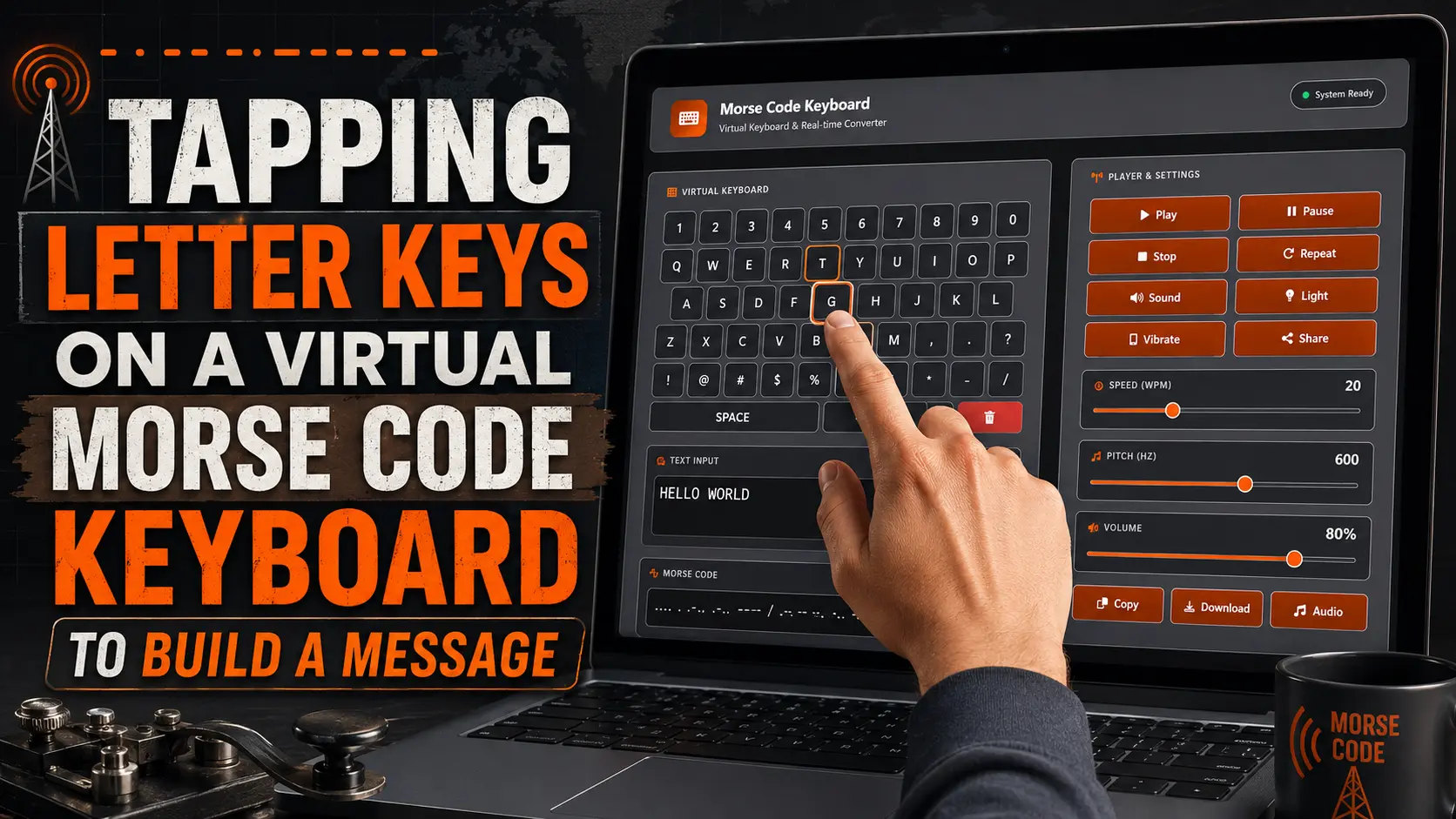
How to Use the Morse Code Keyboard
- Tap the keys. Every letter, number and symbol key adds a character to the text box and converts it the moment it lands. You can also just type on your physical keyboard — both inputs feed the same box.
- Watch the Morse output. Dots and dashes appear in the second box as you go. Nothing is sent anywhere; the conversion runs in your browser.
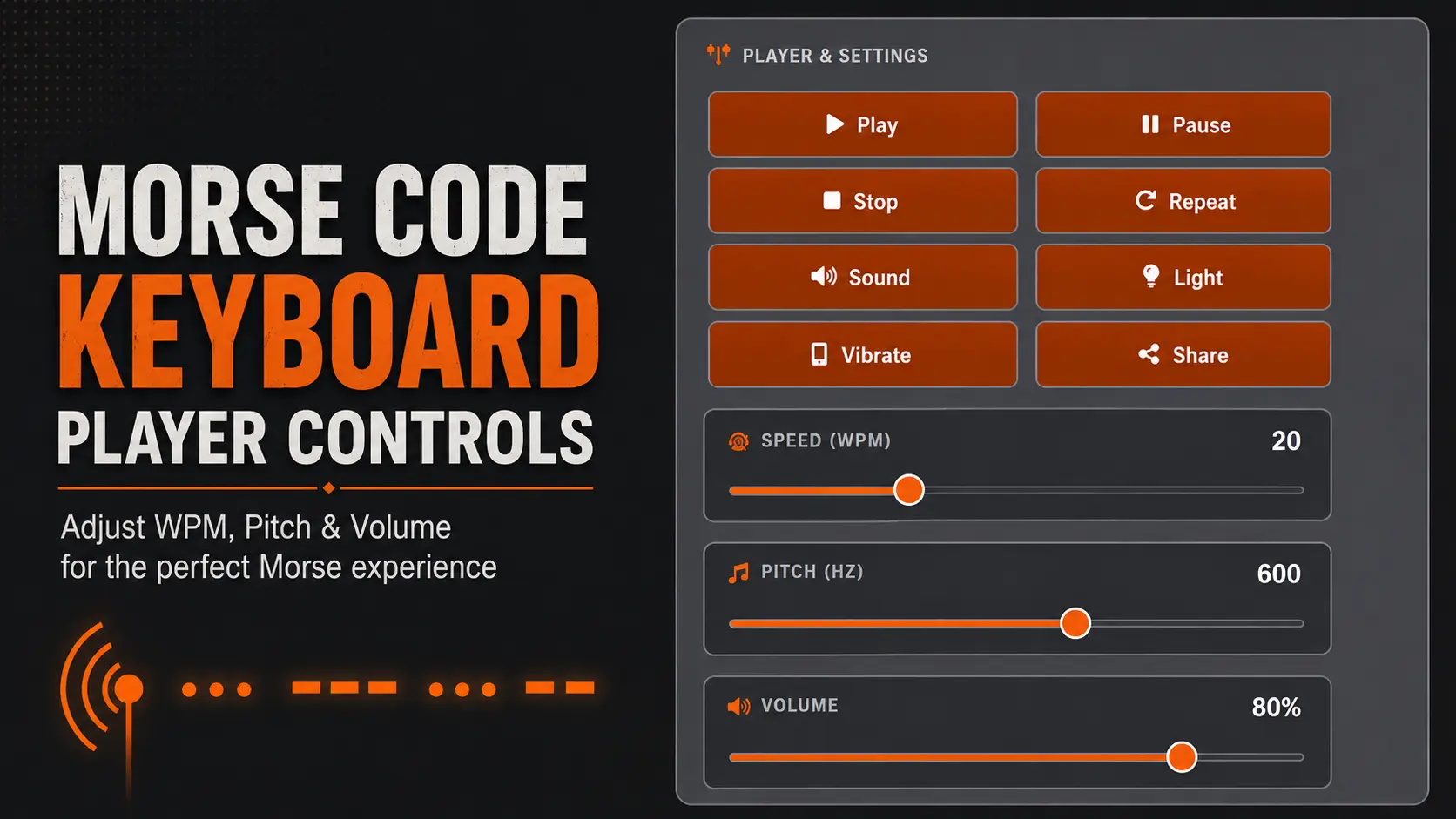
- Set the speed. The WPM slider runs from 5 to 60 words per minute and starts at 20. Beginners should sit at 5–10 WPM; 20 WPM is roughly conversational amateur-radio pace.
- Choose how it plays. Sound is on by default. Light flashes the screen for each dot and dash, and Vibrate pulses the phone — both useful when you can’t have audio on.
- Press Play. Pause, Stop and Repeat let you loop a short message while you learn it.
- Keep it. Copy the Morse to your clipboard, download it as a text file, or export the audio as a file you can send or use in a video.
Why this beats memorizing: most people quit Morse because they try to learn the character map before they ever send a message. A keyboard reverses that order — you send first, and the mapping sticks through repetition instead of rote study.
What You Can Type on This Keyboard
Definition: The key rows on this tool mirror a standard QWERTY layout, plus a number row and a symbol row, so nothing about the typing feels unfamiliar.
- Row 1 — Numbers: 1 through 0
- Rows 2–4 — Letters: the full A–Z alphabet in QWERTY order
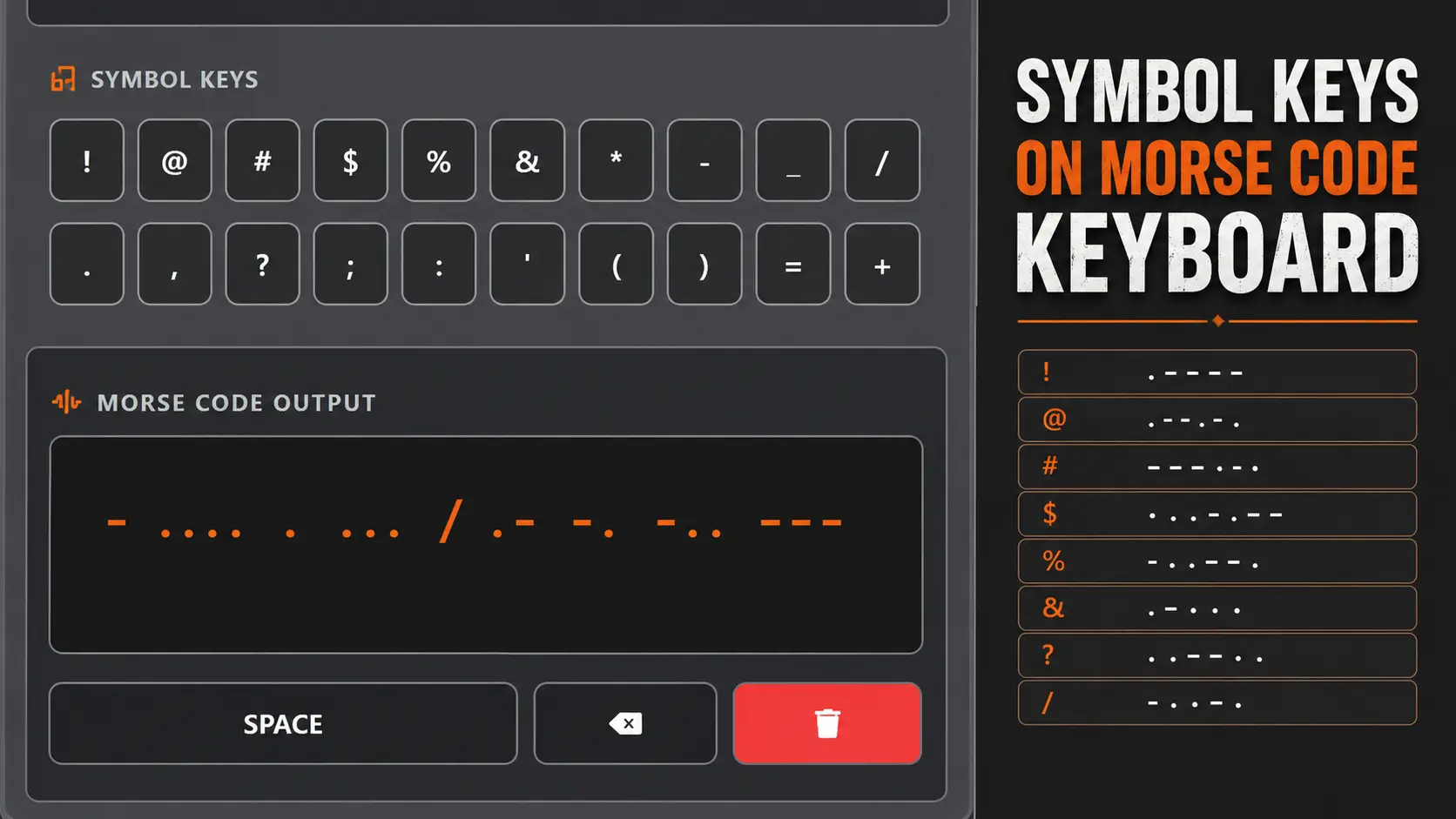
- Row 4 end + Row 5 — Punctuation and symbols:
, . ? ! @ # $ % & * - _ / - Row 6 — Controls: Space, Backspace and Clear
Space inserts a word gap, Backspace removes the last character, and Clear empties both boxes so you can start over.
Letter and Number Reference
| Character | Morse | Character | Morse |
|---|---|---|---|
| A | .- |
N | -. |
| B | -... |
O | --- |
| C | -.-. |
P | .--. |
| D | -.. |
Q | --.- |
| E | . |
R | .-. |
| F | ..-. |
S | ... |
| G | --. |
T | - |
| H | .... |
U | ..- |
| I | .. |
V | ...- |
| J | .--- |
W | .-- |
| K | -.- |
X | -..- |
| L | .-.. |
Y | -.-- |
| M | -- |
Z | --.. |
| 1 | .---- |
6 | -.... |
| 2 | ..--- |
7 | --... |
| 3 | ...-- |
8 | ---.. |
| 4 | ....- |
9 | ----. |
| 5 | ..... |
0 | ----- |
The full character set, including the letters most learners confuse, is broken down on our Morse code alphabet page, and the digits have their own pattern logic explained in Morse code numbers.
Symbols and Punctuation
A handful of the symbol keys map to genuine ITU-standard Morse characters:
| Symbol | Morse | Common use |
|---|---|---|
| . (period) | .-.-.- |
End of sentence |
| , (comma) | --..-- |
Clause break |
| ? (question) | ..--.. |
Query, or “say again” |
| ! (exclamation) | -.-.-- |
Emphasis (non-ITU but widely used) |
| @ (at) | .--.-. |
Email addresses, added in 2004 |
| – (hyphen) | -....- |
Compound words |
| / (slash) | -..-. |
Portable callsigns, fractions |
Worth knowing: Morse was never given official codes for #, % or *. Operators either spell them out or substitute a word. If you need punctuation-heavy accuracy, the Morse code punctuation and symbols guide covers what is standard, what is regional, and what was invented later.
Speed, Pitch and Volume — What the Sliders Actually Do
WPM (5–60, default 20). Words per minute is measured against the standard word PARIS, which is exactly 50 dot-lengths long. At 20 WPM a dot lasts 60 milliseconds; at 5 WPM it lasts 240. Slower is not always better — most instructors recommend learning character shapes at 15–20 WPM and stretching the gaps instead, which is the idea behind Farnsworth timing.
Pitch (300–800 Hz, default 600). This is the tone frequency of the beep, not the speed. Around 600 Hz sits where the ear separates signal from noise most comfortably, which is why receivers have used that range for decades. Drop toward 400 Hz for long sessions if 600 feels sharp.
Volume (default 80%). Independent of pitch. Turn it down rather than switching Sound off if you still want the rhythm audible in the background.
Sound, Light and Vibrate Modes
The player can output the same message three ways, and you can combine them:
- Sound — a clean sine tone, the closest match to a radio sidetone.
- Light — the screen flashes on each dot and dash. This is the phone-in-the-dark version of signaling, and it works the same way a torch does; there’s a dedicated version on our Morse code light translator.
- Vibrate — short and long pulses on supported mobile browsers. Useful for silent practice, or for feeling the rhythm of a character rather than hearing it.
Insight: Learners who practice with two channels at once — sound plus vibration, for example — usually recognize characters faster than learners using audio alone, because the timing pattern is encoded twice.
Who Uses a Morse Code Keyboard
- Beginners who want to send real messages on day one instead of drilling flashcards.
- Ham radio candidates building sending speed before touching a key or paddle.
- Scouts, cadets and preppers learning SOS and short distress signals.
- Teachers demonstrating binary-style encoding in a classroom with nothing but a projector.
- Writers, game designers and prop makers who need an accurate Morse string or audio file for a puzzle, film or escape room.
- Accessibility users who find a tap-to-send interface easier than a physical straight key.
If your goal is fluency rather than a one-off message, pair this keyboard with the drills on our Morse code practice tools page — sending and receiving are separate skills and both need reps.
Common Mistakes to Avoid
Typing dots and dashes into the text box. The top box takes plain English. The Morse appears in the box below it. If you type ... --- ... you will get Morse of the punctuation marks, not SOS.
Assuming spacing doesn’t matter. In Morse, the gap between characters is three dot-lengths and the gap between words is seven. That spacing is what makes SOS as one prosign (...---...) different from S, O, S as three letters. Full rules are in our Morse code timing guide.
Practicing only at 5 WPM. Very slow sending teaches you to count dots, a habit that caps you at about 10 WPM permanently. Raise character speed early.
Expecting emoji or accented letters to convert. Morse covers Latin letters, digits and a short punctuation set. Anything outside that has no standard equivalent.
Myth vs Reality
| Myth | Reality |
|---|---|
| Morse code is obsolete | It’s still used in aviation navigation beacons, amateur radio, and emergency signaling where voice fails |
| You need a telegraph key to send it | A screen keyboard, a torch, a whistle or a tapped finger all work — the timing pattern is the code |
| Faster WPM means harder characters | Character shapes are identical at any speed; only the gaps change |
| SOS stands for “Save Our Ship” | It was chosen purely because ...---... is unmistakable, not as an acronym |
| Morse has a code for every symbol | Several common keyboard symbols have no official Morse equivalent at all |
Privacy and Requirements
Everything runs client-side in your browser. Nothing you type is uploaded, stored or logged, and no account is needed. The tool works on Chrome, Safari, Firefox and Edge on desktop and mobile. Vibrate depends on browser support and is unavailable on desktop and on iOS Safari; Sound and Light work everywhere.
Frequently Asked Questions
It’s an on-screen keyboard where each key you tap is converted into its Morse code equivalent in real time. You type normal letters, numbers and punctuation, and the tool outputs the matching dots and dashes, which it can then play as sound, light or vibration.
Tap or type the plain English message on the keyboard above. The conversion happens automatically, so you never need to recall a single dot-dash pattern. Reading the output next to your text is also the fastest way to start absorbing the character map.
Yes. Press Play and the message plays as an audio tone. You can set the speed from 5 to 60 words per minute and the pitch from 300 to 800 Hz, and you can also export the audio as a file.
Start around 10 words per minute for the first sessions, then move character speed up to 15-20 WPM while keeping the gaps between characters long. Learning characters slowly encourages counting dots, which becomes a hard speed ceiling later.
Type S, O, S on the keyboard and you’ll get … — … as the output. As a true distress prosign it is sent as one continuous group with no gaps between the letters.
Yes. The keyboard is fully responsive and the key rows resize for small screens. On supported mobile browsers you can also play messages as vibration, which is useful for practicing silently.
Standard Morse covers period, comma, question mark, exclamation, at sign, hyphen, slash and a few others. Symbols such as the hash, percent and asterisk were never assigned official Morse codes, so operators spell them out instead.
Yes. Copy sends the Morse to your clipboard, Download saves it as a text file, and the Audio button exports the played tones as an audio file you can share or drop into a video.
Yes, it’s free with no signup, no install and no usage limits. All conversion runs locally in your browser, so nothing you type is sent to a server.
